创建 Binance API Key
在 Binance 上创建 API Key 以与 PayerScan 配合使用的分步指南。
Step 1: 登录 Binance
Step 2: 进入 Account → API Management(或直接访问:API Management)
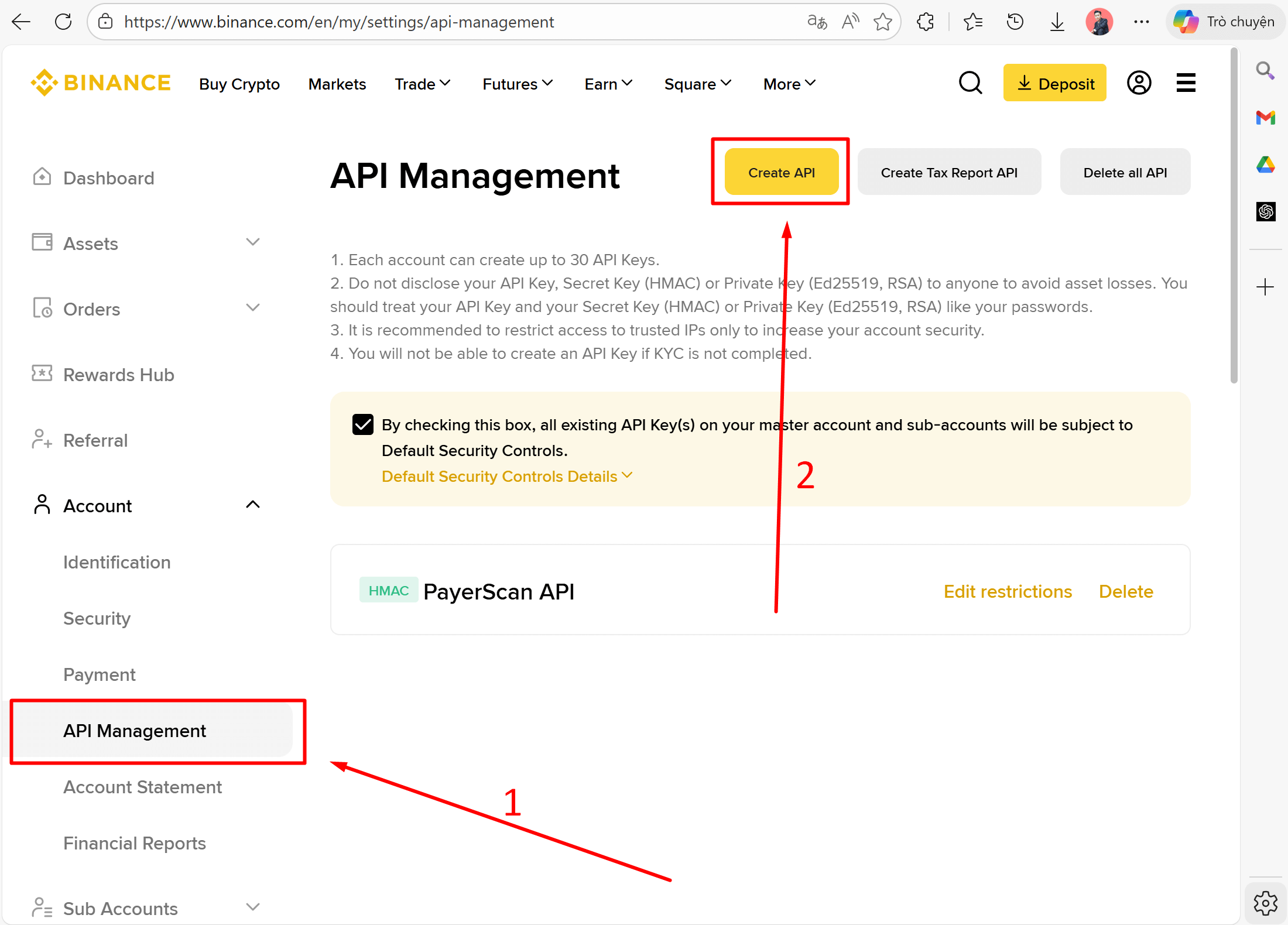
Step 3: 点击 Create API
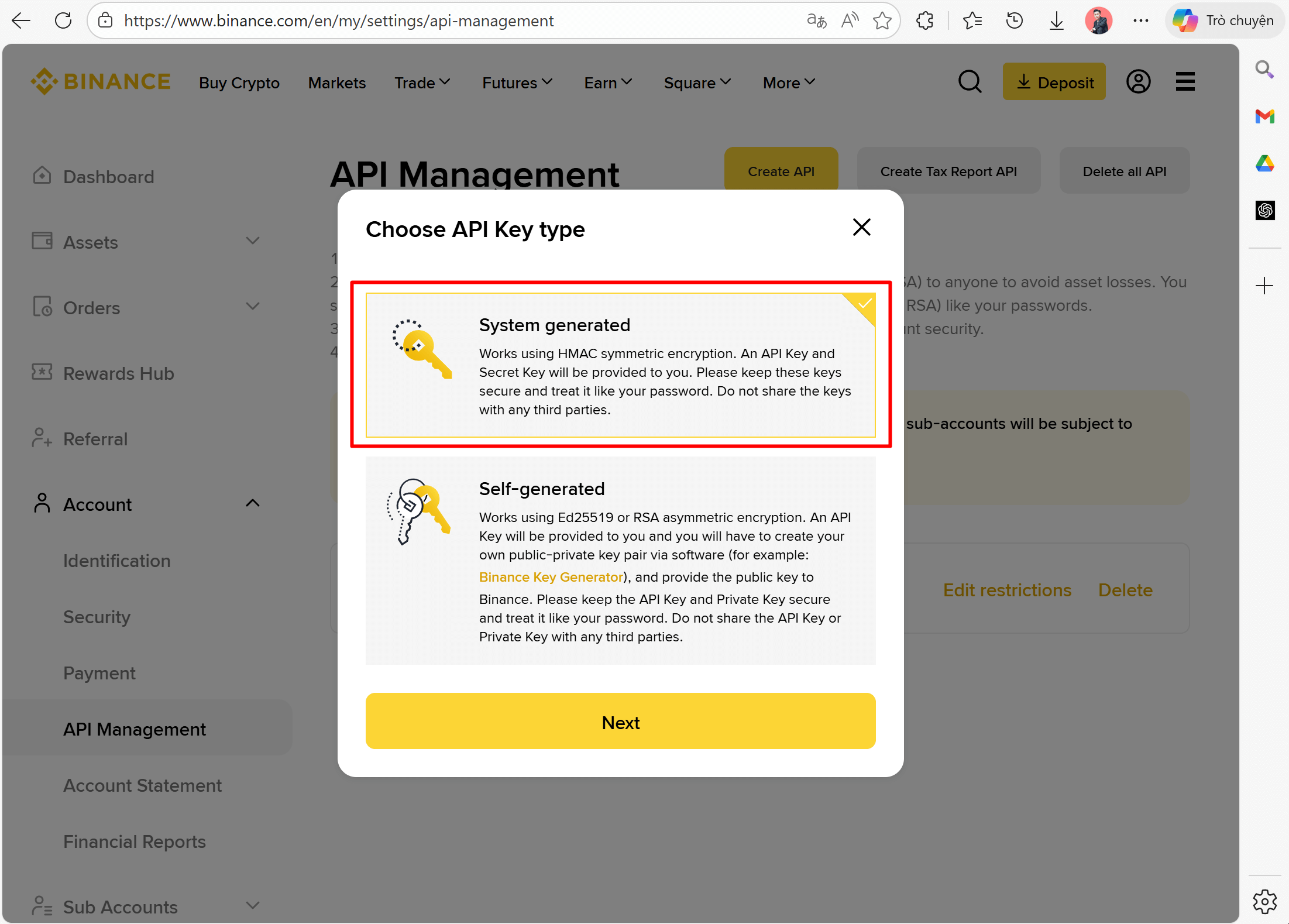
Step 4: 选择 System generated(HMAC)→ 点击 Next
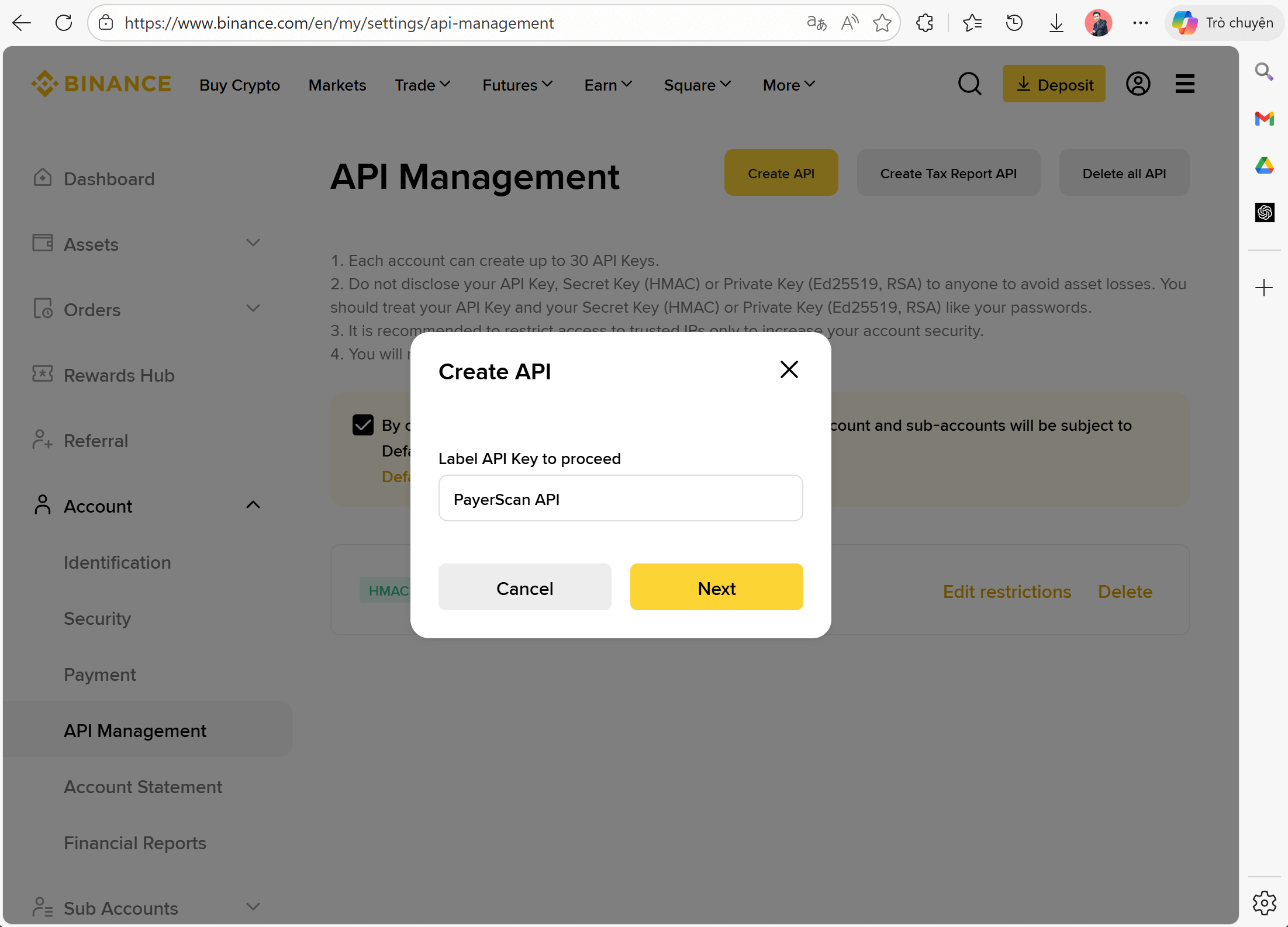
Step 5: 输入 API Key 的标签(例如:PayerScan API)→ 点击 Next
Step 6: 完成 2FA 验证(邮箱 + 身份验证器)
Step 7: 复制 API Key 和 Secret Key
创建完成后,您将看到显示的 API Key 和 Secret Key:
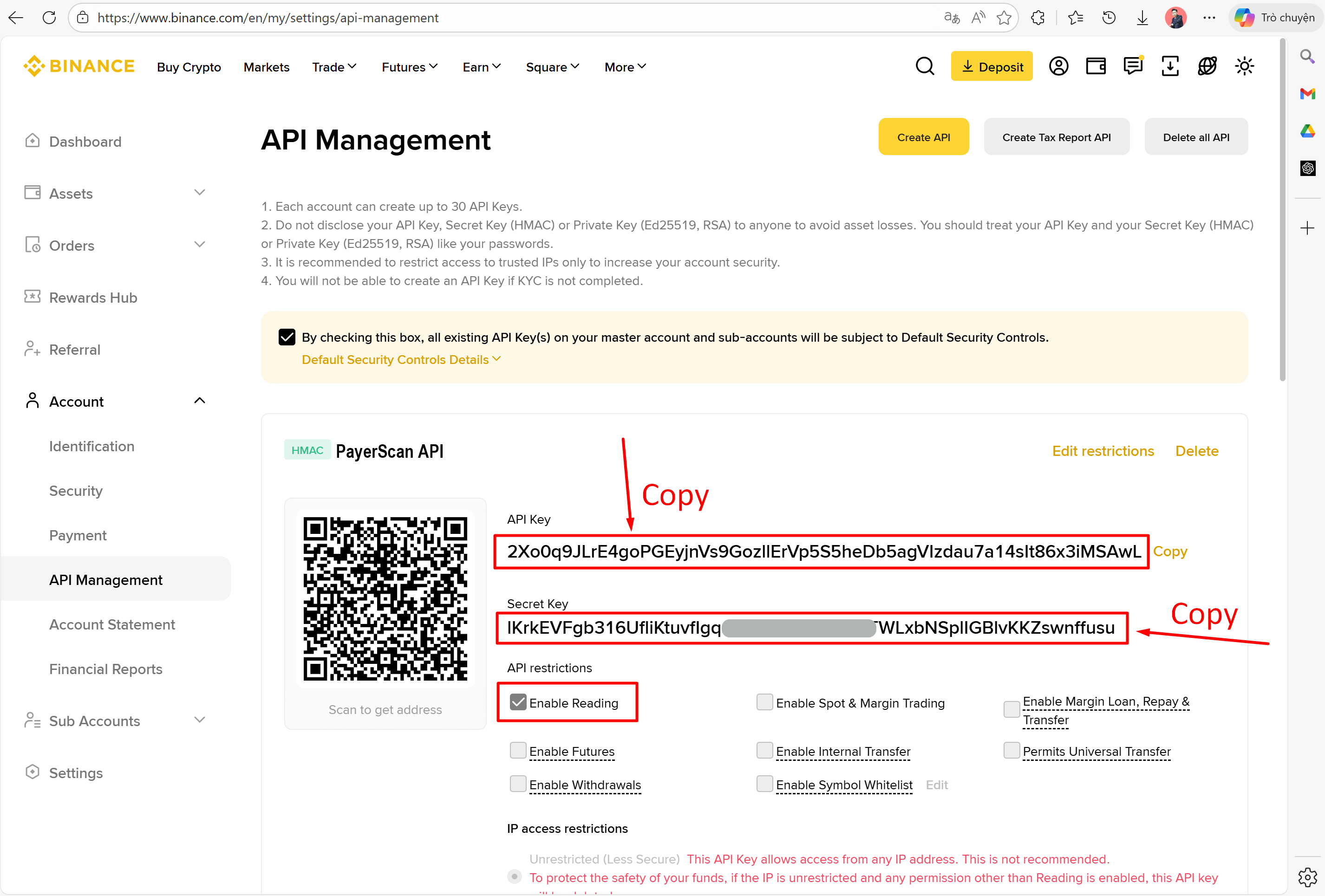
| 凭据 | 说明 |
|---|---|
| API Key | 公共字符串(始终可见,可随时复制) |
| Secret Key | 秘密字符串(仅显示一次,请立即复制并保存!) |
危险
Secret Key 仅在创建时显示一次。如果丢失,必须删除并创建新的 API Key。
Step 8: 配置 API Key 权限
确保 API Key 权限设置正确:
- Enable Reading — 必需(允许读取交易历史)
- Enable Spot & Margin Trading — 不需要
- Enable Withdrawals — 不需要
- Enable Futures — 不需要
重要
仅启用 Enable Reading。不要启用 Trading 或 Withdrawals 权限以确保安全 — 此 API Key 仅用于检查交易历史,不用于任何交易。