Create Binance API Key
Step-by-step guide to create an API Key on Binance for use with PayerScan.
Step 1: Log in to Binance
Step 2: Go to Account → API Management (or navigate directly to: API Management)
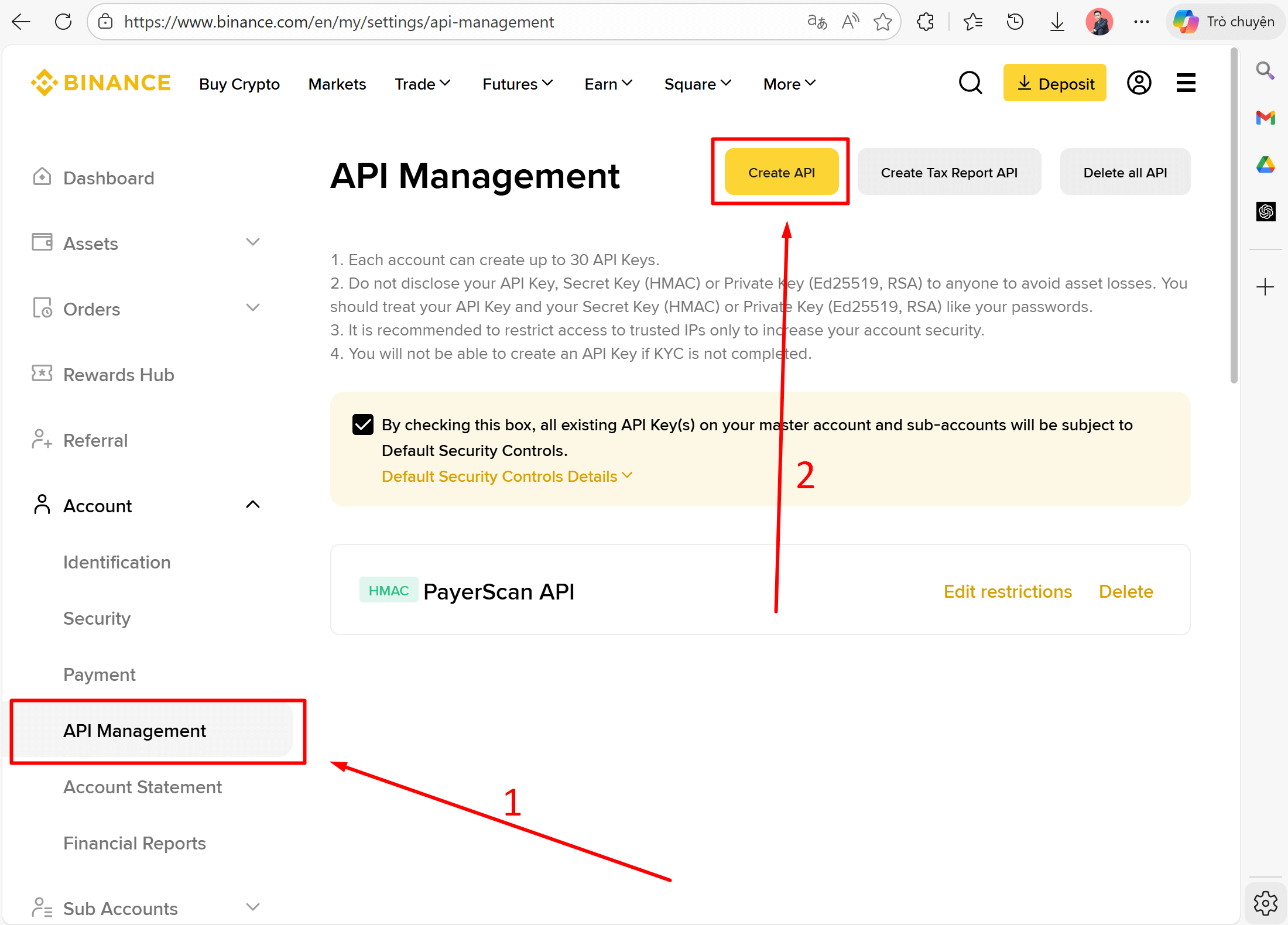
Step 3: Click Create API
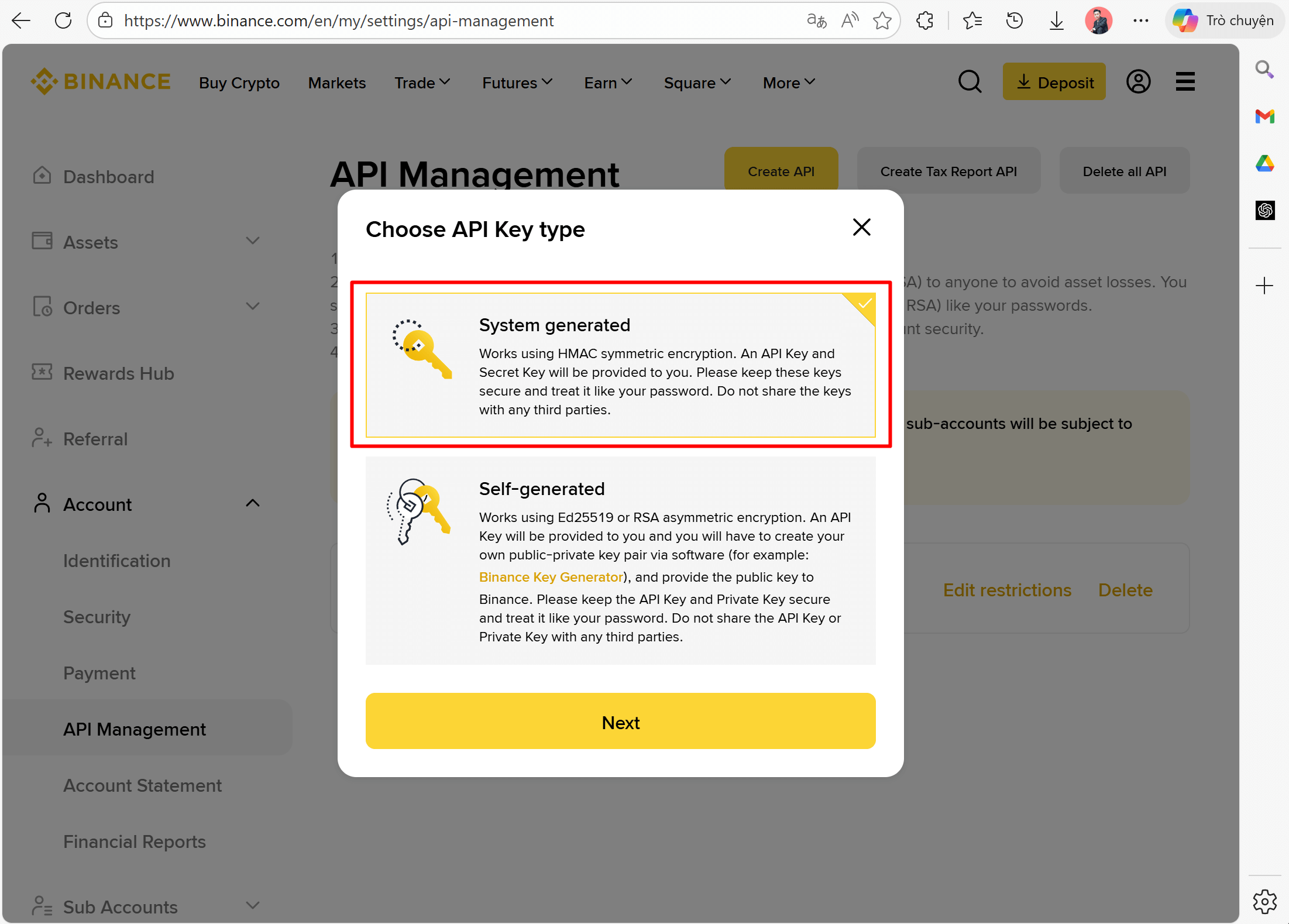
Step 4: Select System generated (HMAC) → click Next
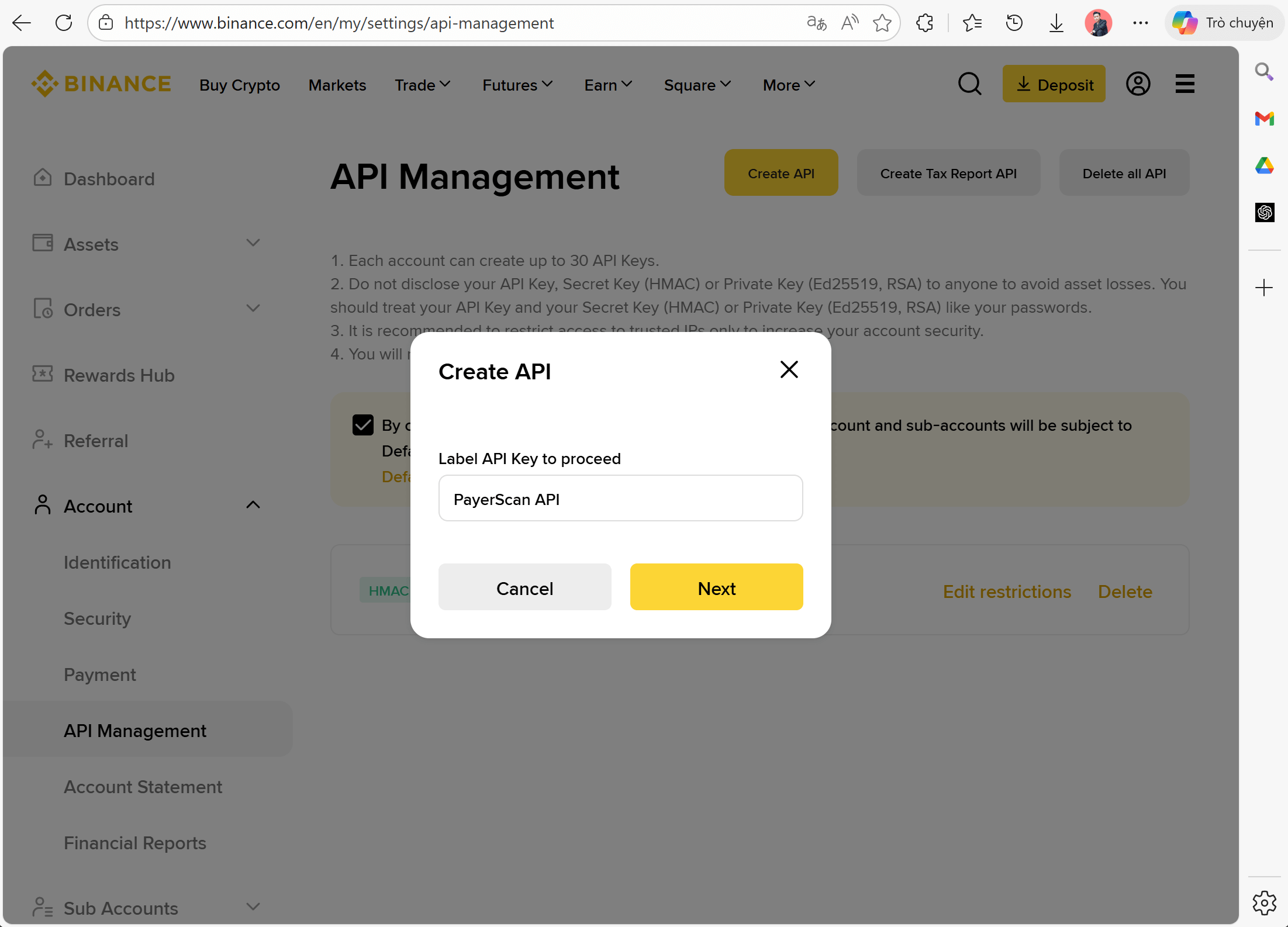
Step 5: Enter a label for the API Key (e.g., PayerScan API) → click Next
Step 6: Complete 2FA verification (Email + Authenticator)
Step 7: Copy your API Key and Secret Key
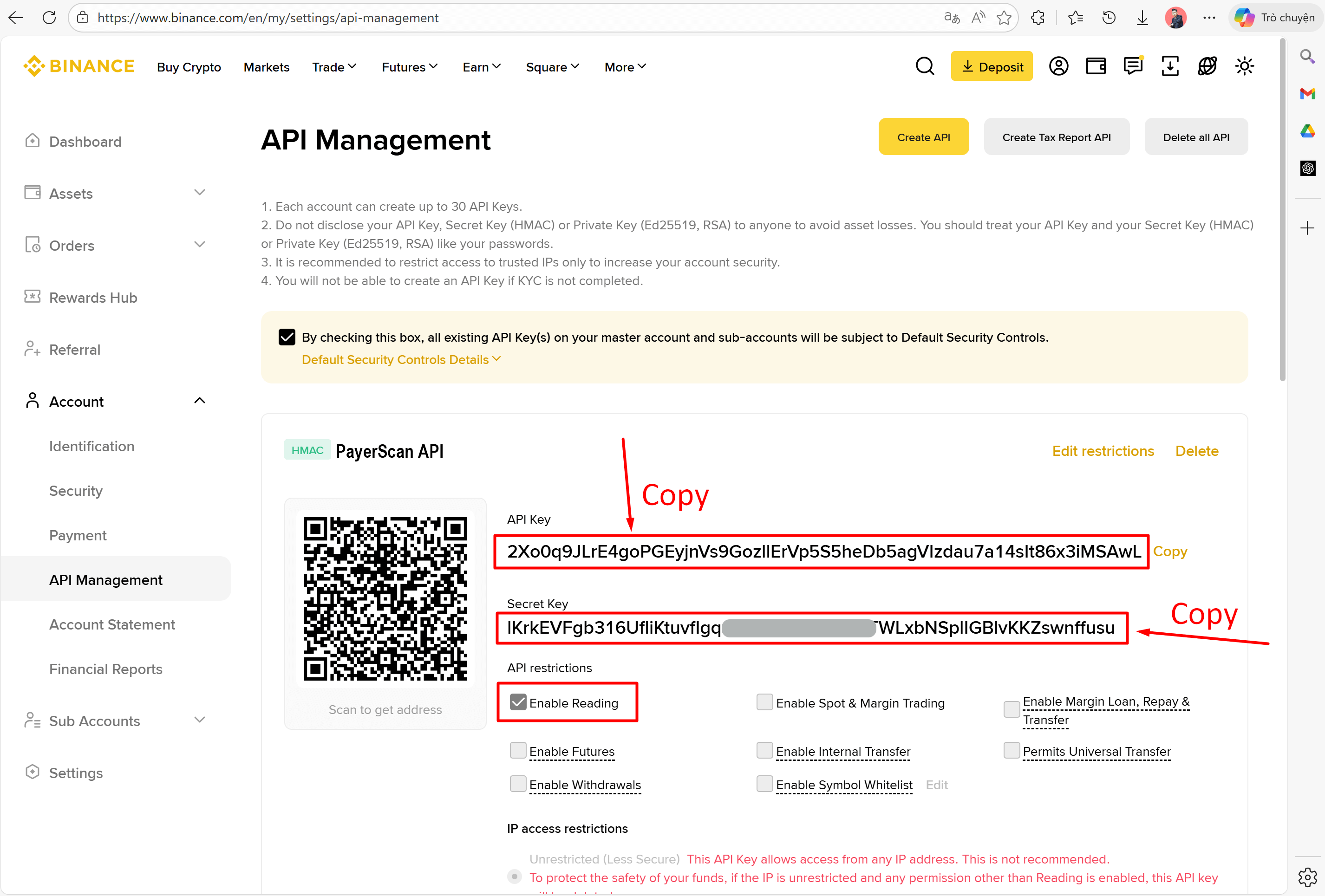
| Credential | Description |
|---|---|
| API Key | A public string (always visible, can be copied anytime) |
| Secret Key | A secret string (shown only once, copy and save it immediately!) |
Secret Key is shown only once during creation. If lost, you must delete and create a new API Key.
Step 8: Configure API Key Permissions
Make sure the API Key permissions are set correctly:
- Enable Reading — required (allows reading transaction history)
- Enable Spot & Margin Trading — not needed
- Enable Withdrawals — not needed
- Enable Futures — not needed
Only enable Enable Reading. Do NOT enable Trading or Withdrawals permissions for safety — this API Key is only used to check transaction history, not to make any trades.