Add Binance Pay
Guide to configure Binance Pay for your Store to receive payments via Binance.
Why set up Binance Pay?
- If you use Binance wallet addresses to receive payments, you should complete this setup so the system can detect 100% of transactions — both on-chain and off-chain.
- Customers can transfer funds via Binance ID (gas-free transfers).
If you do not use Binance, you can skip this guide — no setup is needed.
Step 1: Log in to the PayerScan Management Panel
Step 2: In the sidebar, click API Crypto to open the Store list
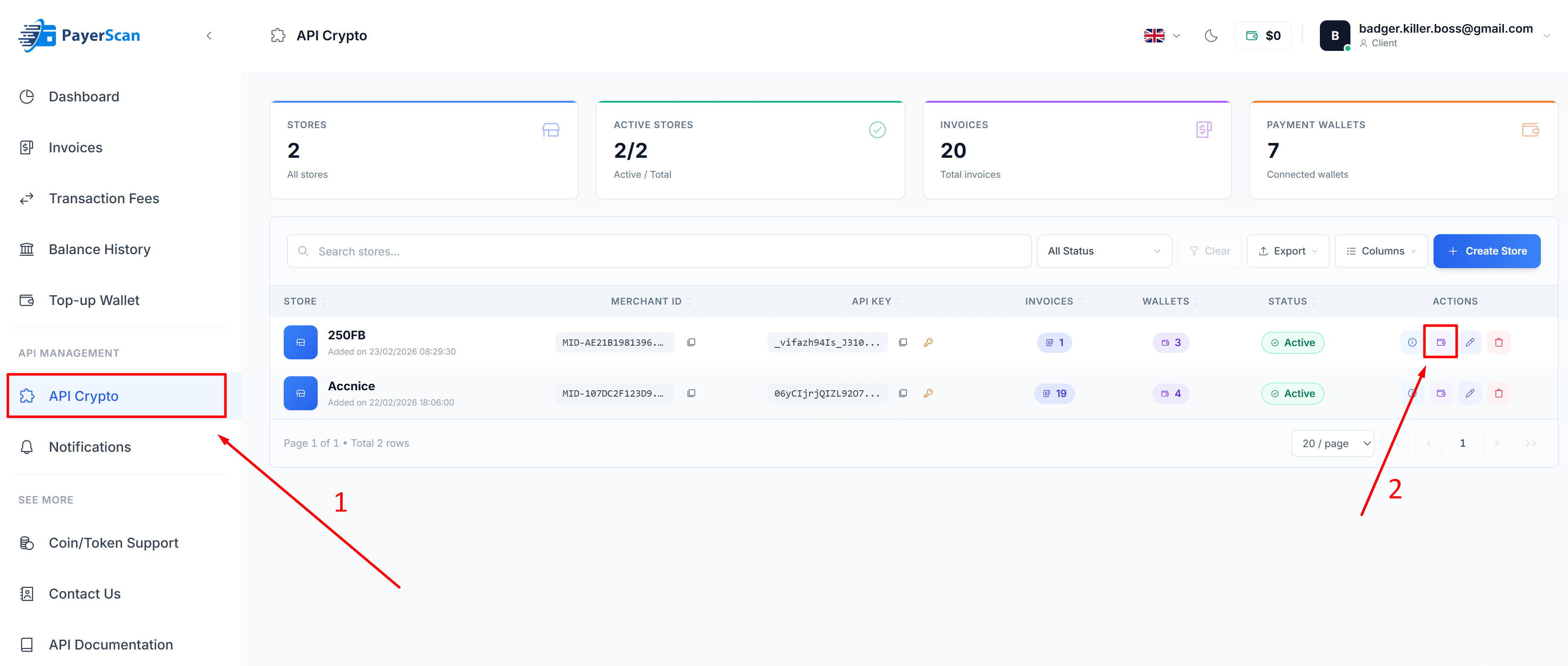
Step 3: Click the Wallet icon (in the Actions column) of the Store you want to configure
You must have already created a Store. If you haven't created one yet, please see the Create Store guide first.
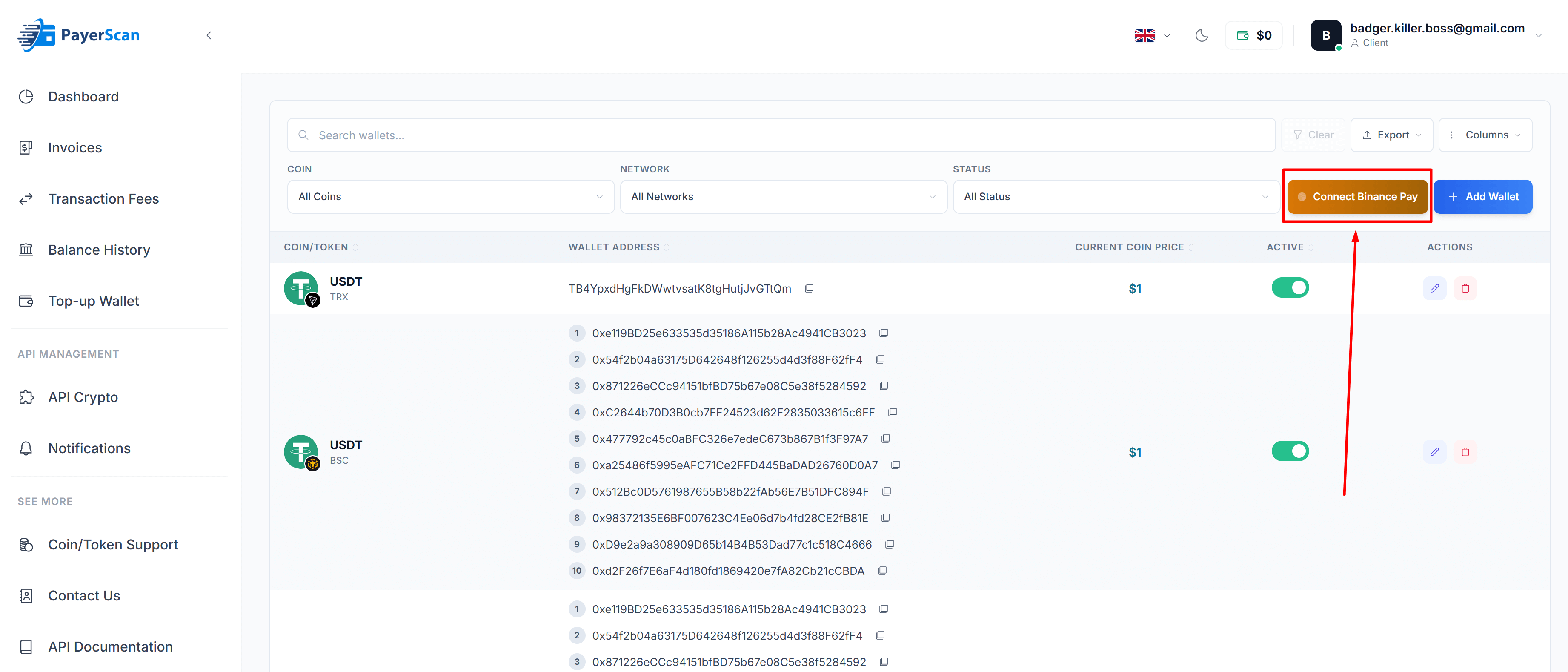
Step 4: In the Store wallets page, click the Connect Binance Pay button
Step 5: The Connect Binance Pay form will appear — fill in the information:
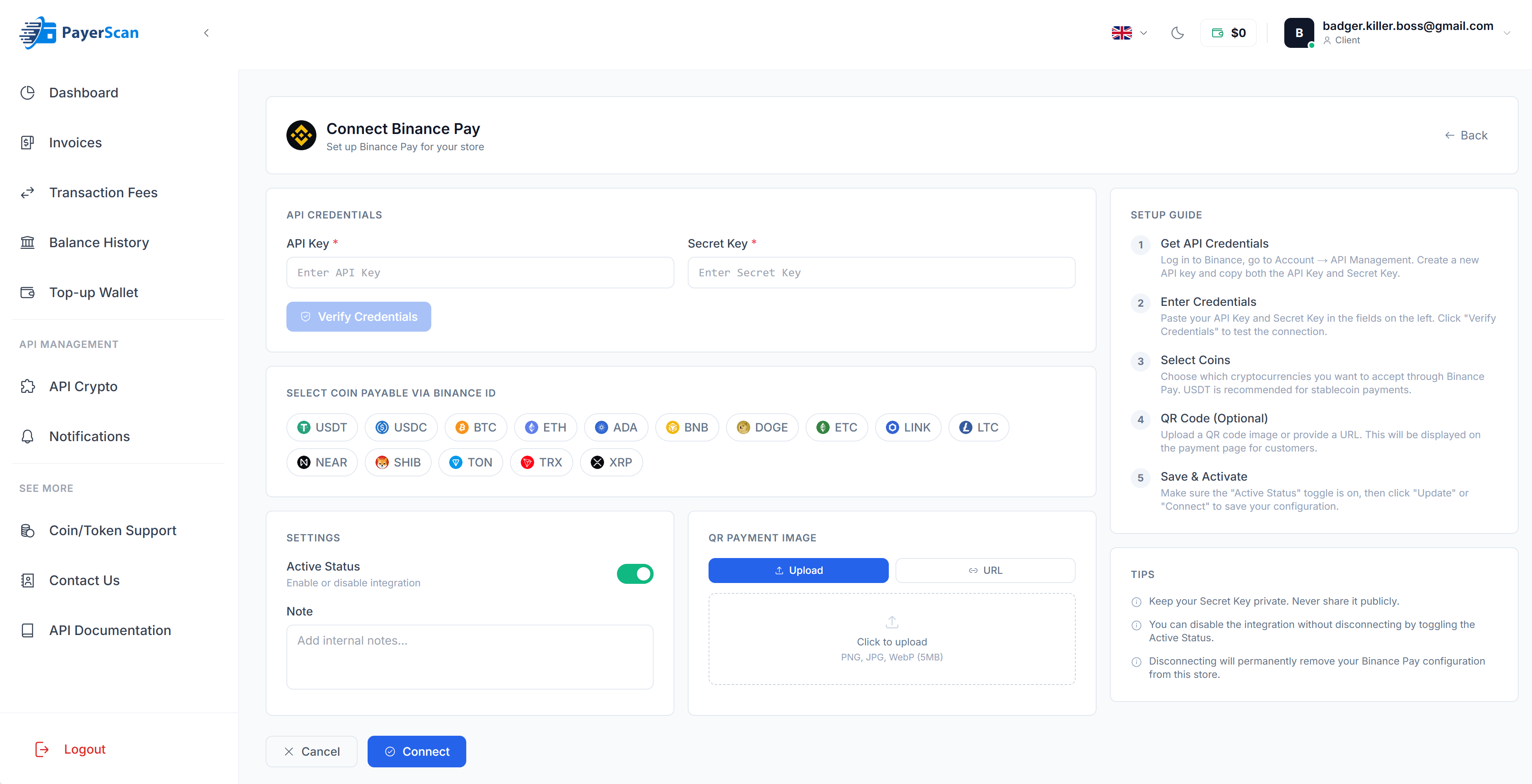
| Field | Description |
|---|---|
| API Key | Paste your API Key (see Create Binance API Key) |
| Secret Key | Paste your Secret Key (see Create Binance API Key) |
| Select Coin Payable | Choose which coins to accept via Binance Pay (e.g., USDT, USDC, BTC, ETH) |
| Active Status | Toggle on to enable Binance Pay |
| QR Payment Image | (Optional) Upload a QR code image for the payment page (see Get Binance QR Code) |
Step 6: Click Verify Credentials to test the API Key connection
Step 7: Click Connect to save the configuration
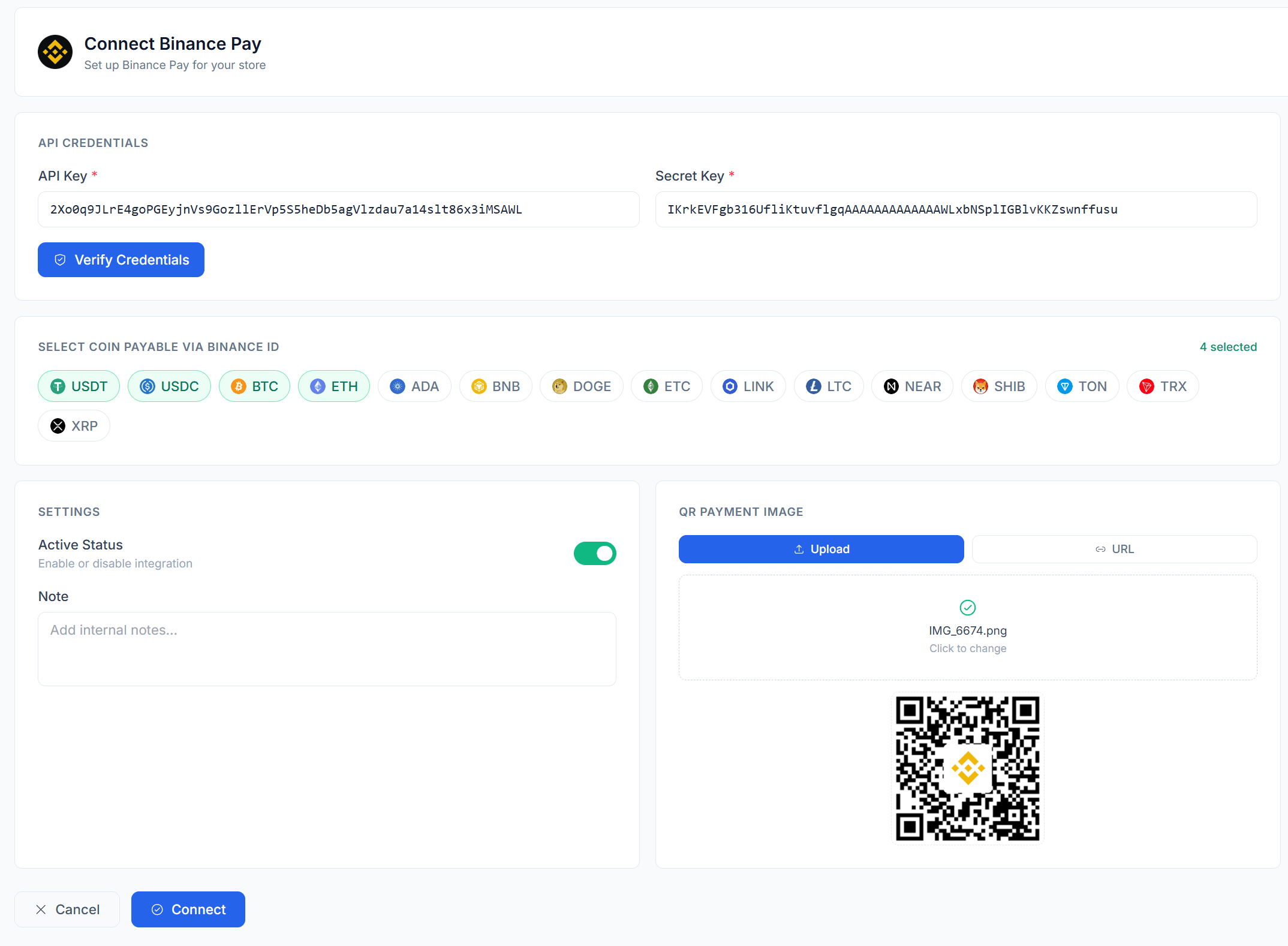
Done!
🎉 Congratulations — you have successfully added Binance Pay!
After adding Binance Pay, the system will automatically retrieve your Binance ID.
Customers can transfer coins/tokens you selected in step 5 to you via Binance ID when an invoice is created.
If you use a Binance wallet to receive coins/tokens but do not want customers to transfer via Binance ID, please only deactivate (toggle off Active Status) or deselect all coins/tokens in step 5 — do not fully disconnect (delete the API Key), because the system still needs it to verify off-chain transactions.
FAQ
What permissions does the API Key need?
Only Enable Reading. No other permissions are needed.
Are there fees for Binance Pay?
No blockchain gas fees. Internal Binance transactions are free.
What does the customer need to pay via Binance Pay?
The customer needs a Binance account with sufficient balance of the corresponding token.
What if the API Key is compromised?
Since it only has Reading permission, the API Key cannot be used for withdrawals or trading.
Can I use the same API Key for multiple Stores?
Yes, but we recommend each Store uses its own for easier management and tracking.